
- Description
- Other Products more >>
-
nerror="this.onerror=null;this.src='//img1.yiwugou.com/enimages/defaultnoimageen.png'" src="//img1.yiwugou.com/i002/ywgo/i2/blank.gif" data-url="//img1.yiwugou.com/i004/2021/05/17/29/7fd8063048dc5534db0f0db53d3570b9.jpg?x-oss-process=image/resize,m_lfit,h_200,w_200" alt="Cotton Women's Boat Socks Candy Color Women's Socks Macaron Color Stall plus Size Gifts for Men and Women Socks" /> Cotton Women's Boat Socks Candy Color Women's ...
-
nerror="this.onerror=null;this.src='//img1.yiwugou.com/enimages/defaultnoimageen.png'" src="//img1.yiwugou.com/i002/ywgo/i2/blank.gif" data-url="//img1.yiwugou.com/i004/2021/09/01/90/54ac6cad00a27e53100602520885603f.jpg?x-oss-process=image/resize,m_lfit,h_200,w_200" alt="Comforter Toys Baby Plush Toy Sleep Comforter Rabbit Little Bear Doll" /> Comforter Toys Baby Plush Toy Sleep Comforter ...
-
nerror="this.onerror=null;this.src='//img1.yiwugou.com/enimages/defaultnoimageen.png'" src="//img1.yiwugou.com/i002/ywgo/i2/blank.gif" data-url="//img1.yiwugou.com/i004/2021/08/07/92/43346e8d539a8543b2834f3c553f6058.jpg?x-oss-process=image/resize,m_lfit,h_200,w_200" alt="Soap Flower Mother's Day Gift 18 Bouquet 520 Gift for Girlfriend Girlfriend Creative Romantic Gift Company Gift" /> Soap Flower Mother's Day Gift 18 Bouquet 520 G...
-
nerror="this.onerror=null;this.src='//img1.yiwugou.com/enimages/defaultnoimageen.png'" src="//img1.yiwugou.com/i002/ywgo/i2/blank.gif" data-url="//img1.yiwugou.com/i004/2021/09/03/41/5d630133b4451275dcf95365cacb5a4a.jpg?x-oss-process=image/resize,m_lfit,h_200,w_200" alt="Popular Led Vinyl Small Night Lamp Duck Cartoon Ins Creative Night Market Stall Supply Night Market luminous toys" /> Popular Led Vinyl Small Night Lamp Duck Cartoo...
Packaging information
CTN Szie: 40 × 30 × 30 cm
G.W./CTN:9 kg
QTY/CTN:48 set/carton
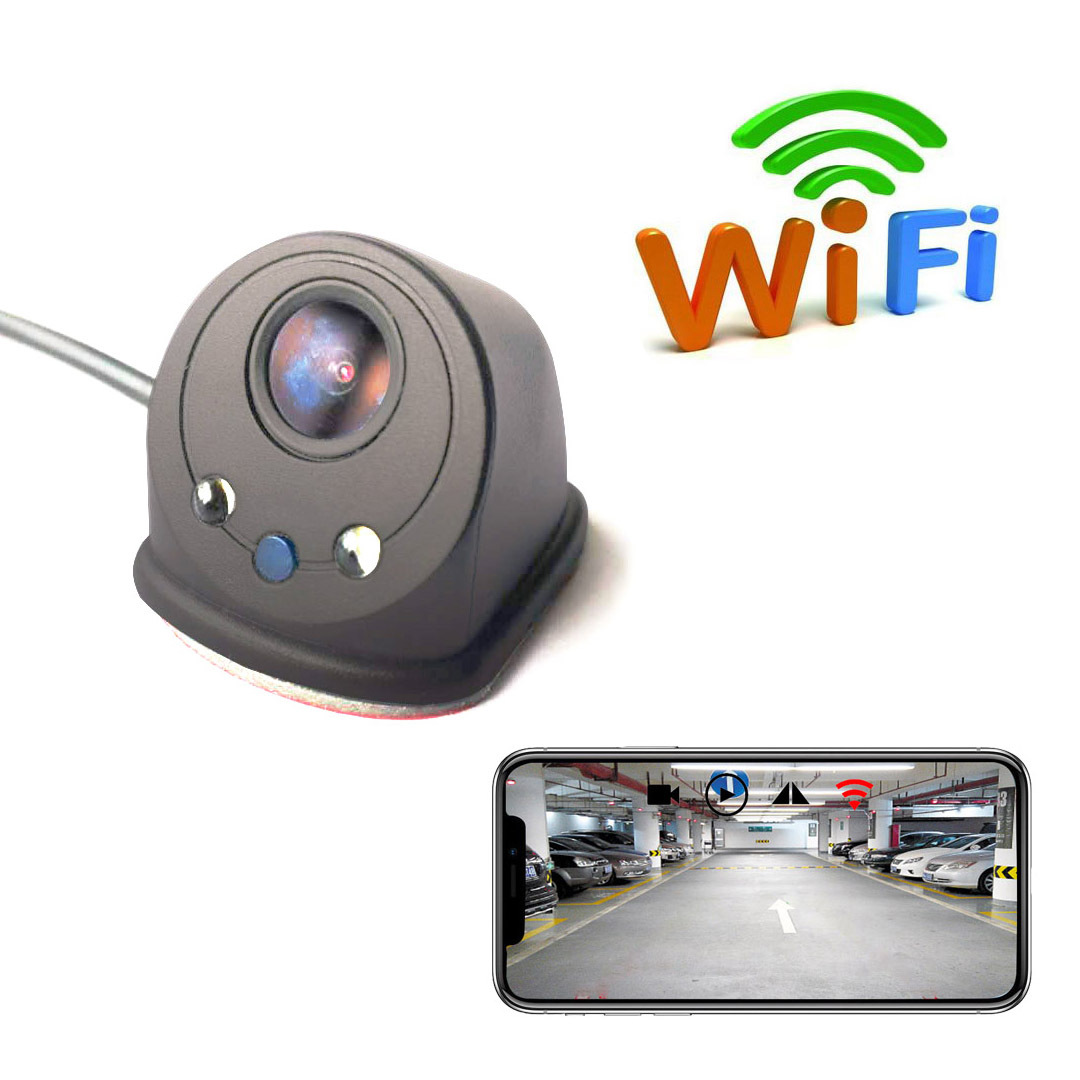
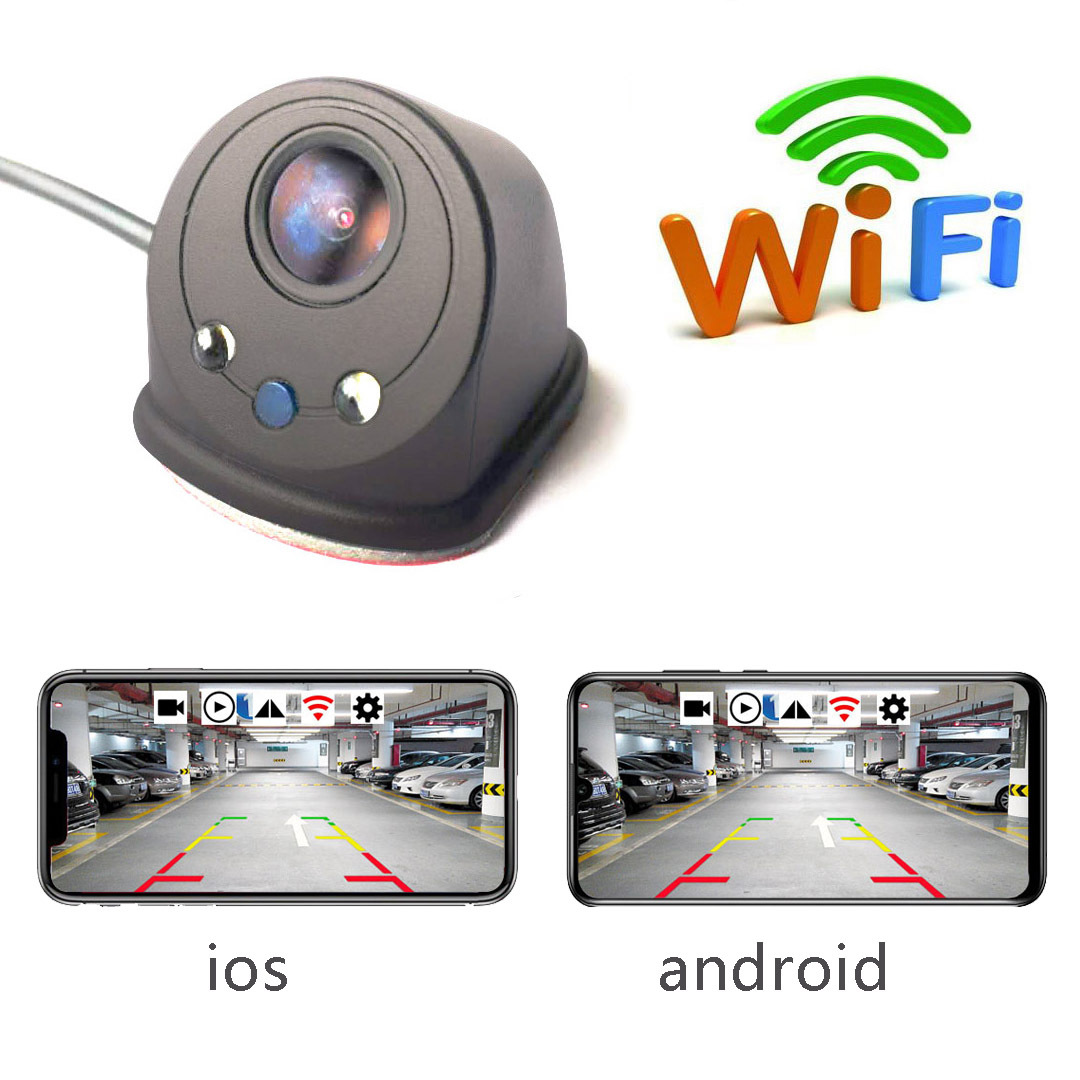
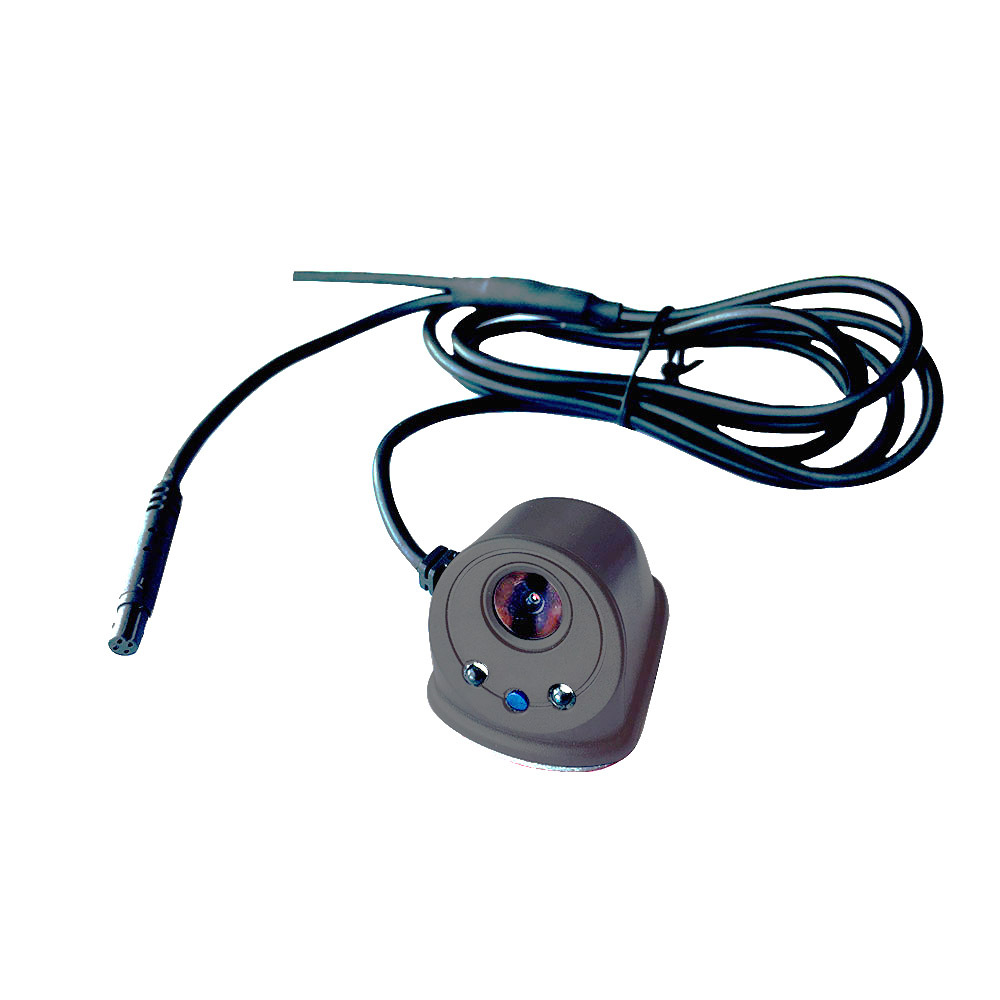
Cross-border new USB wireless wifi left and right side view camera car blind area car camera reversing image
wifi blind spot camera side view blind spot wifi side view camera right side blind spot wifi wifi rearview camera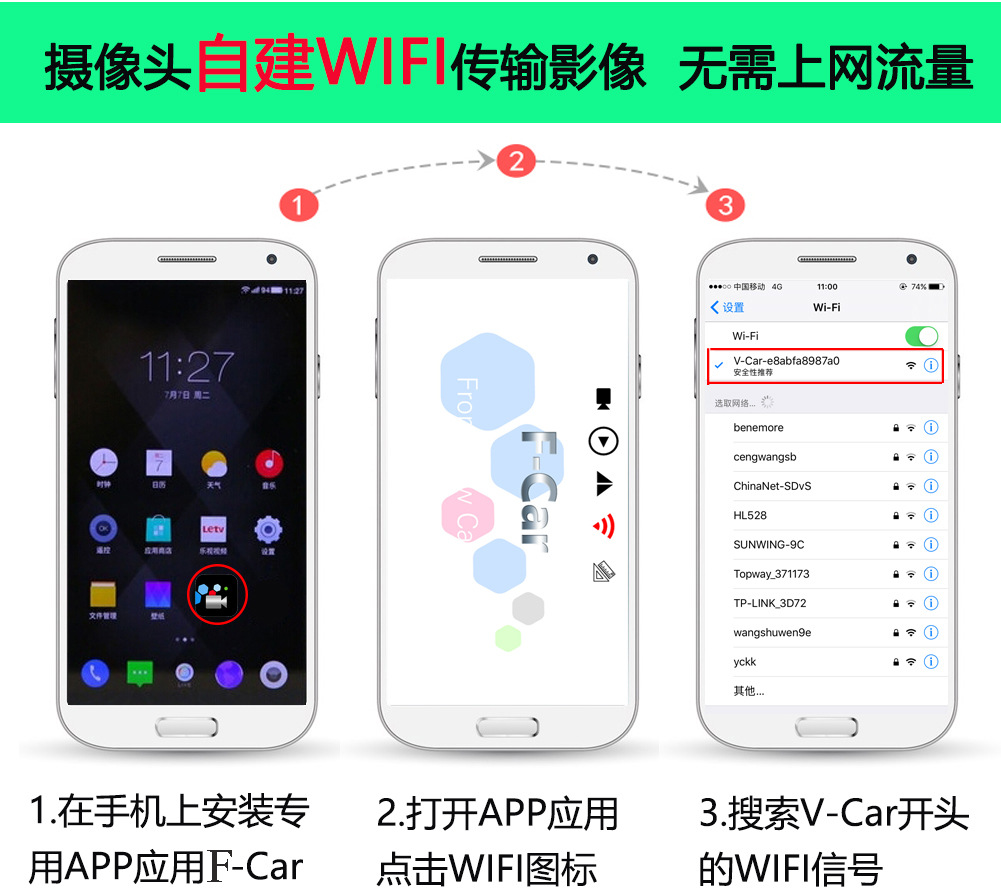
wifi wireless car vehiclel backup camera wifi vehiclel backup camera wifi wireless reversing HD night vision camera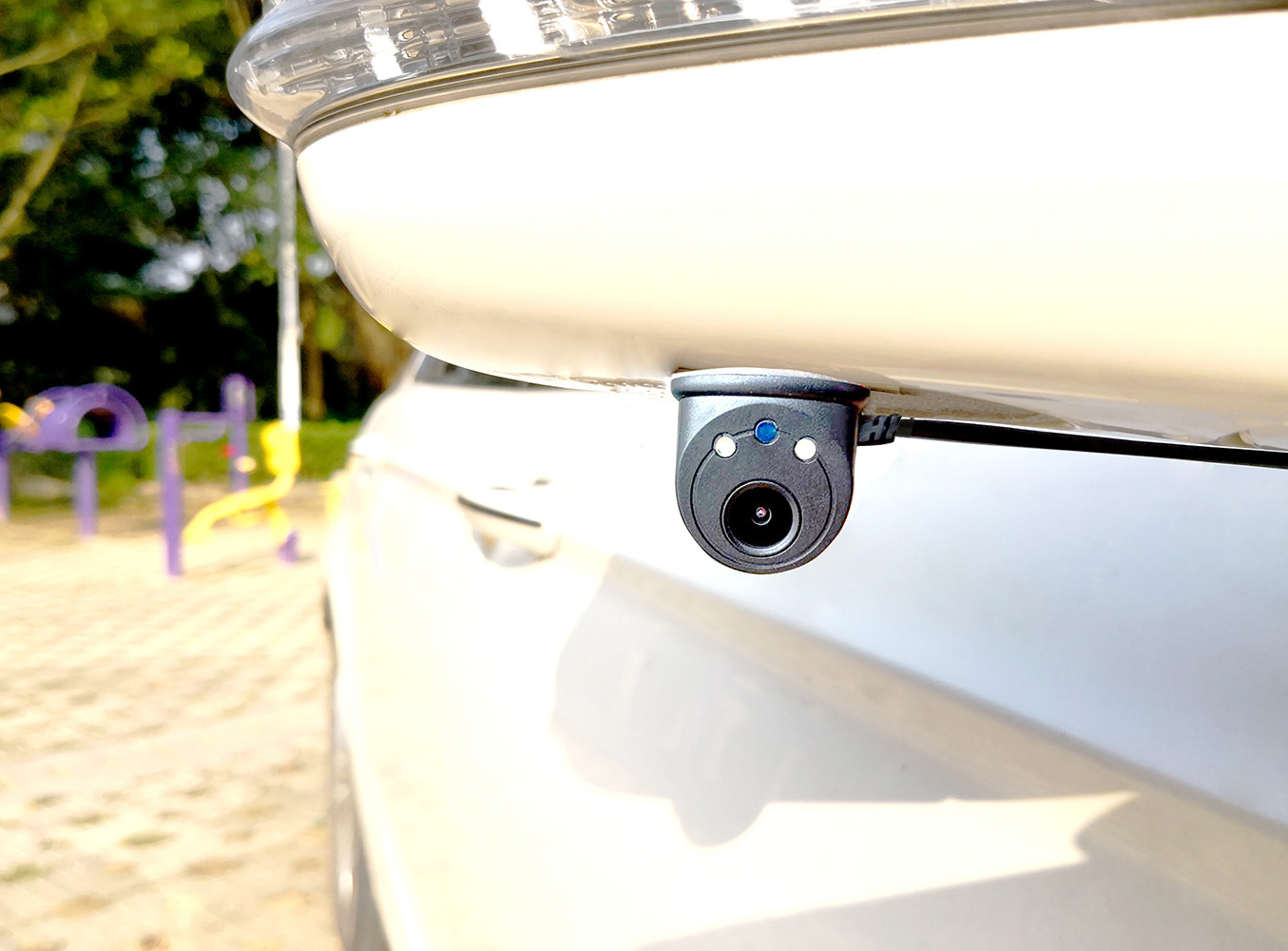
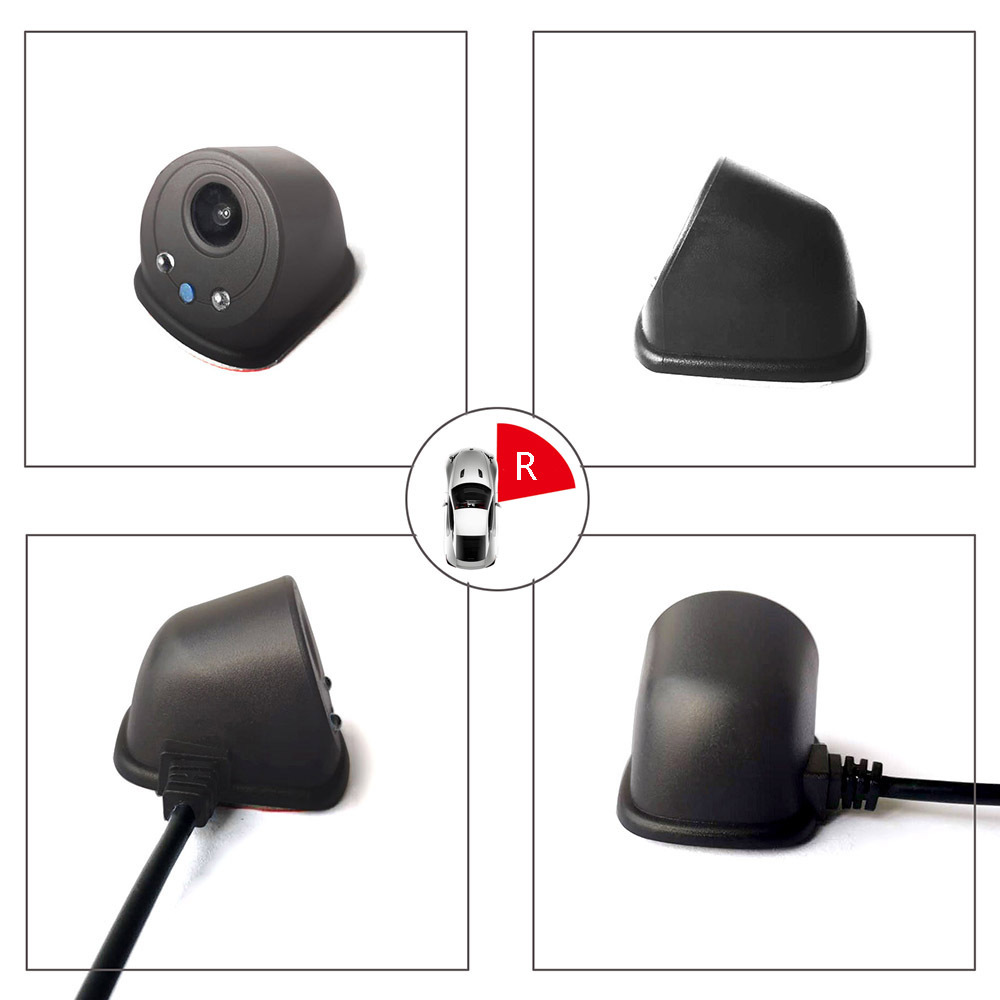
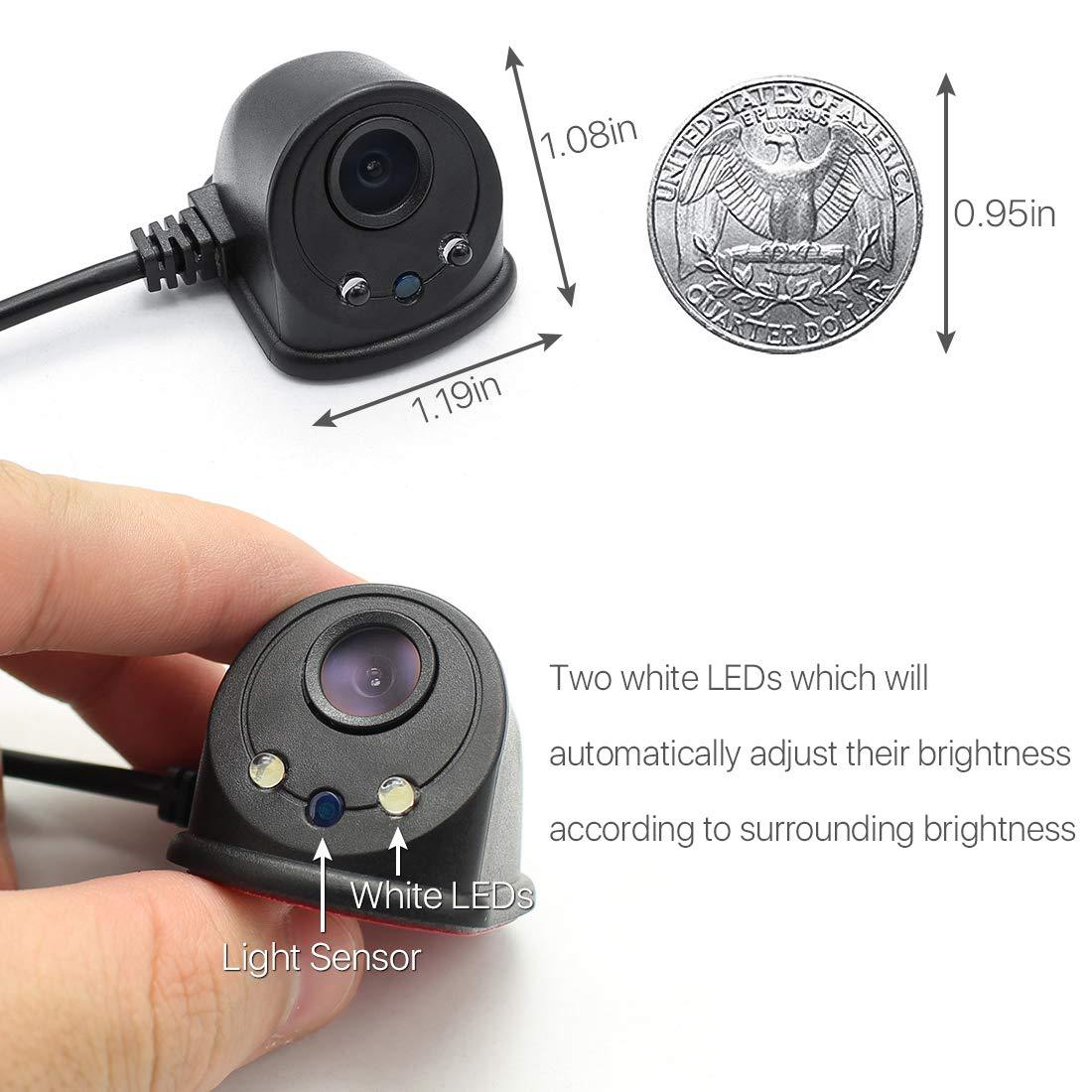
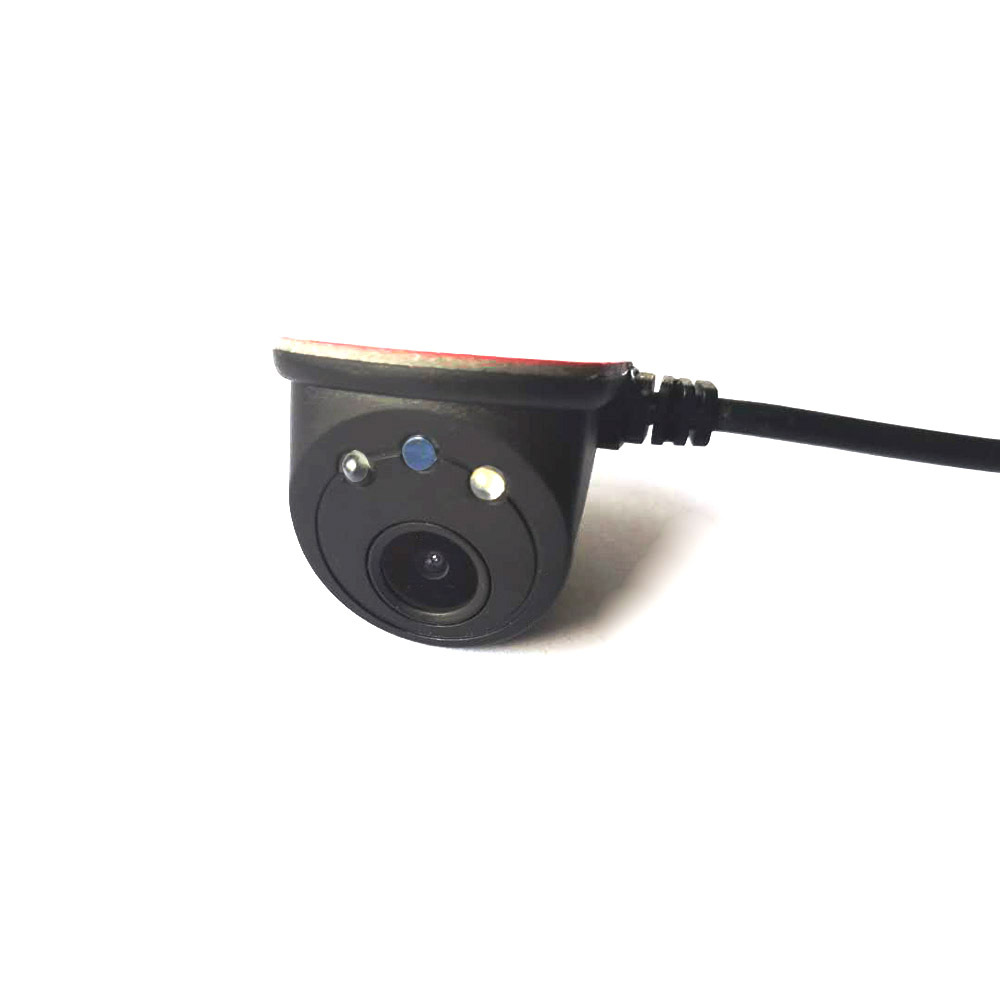
side Blind wireless camera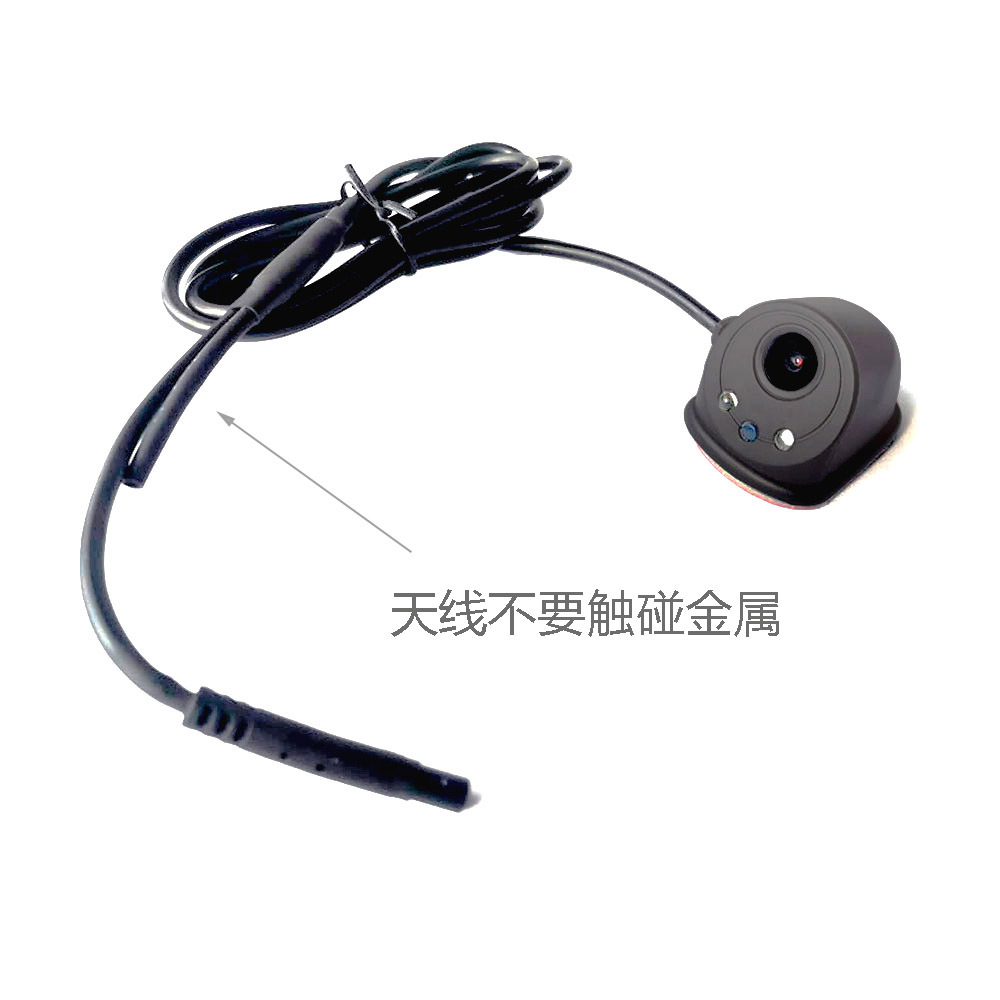
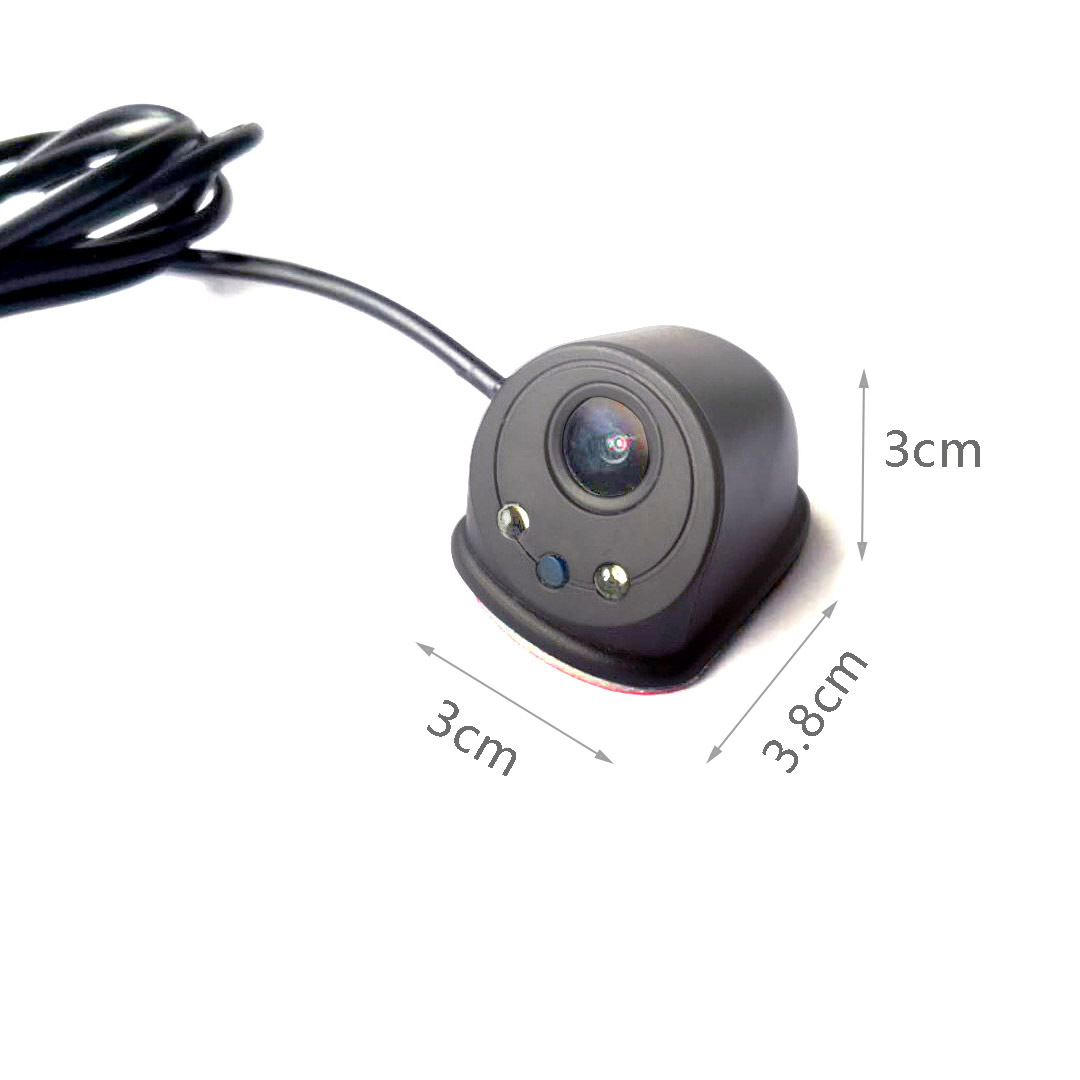
a, product introduction
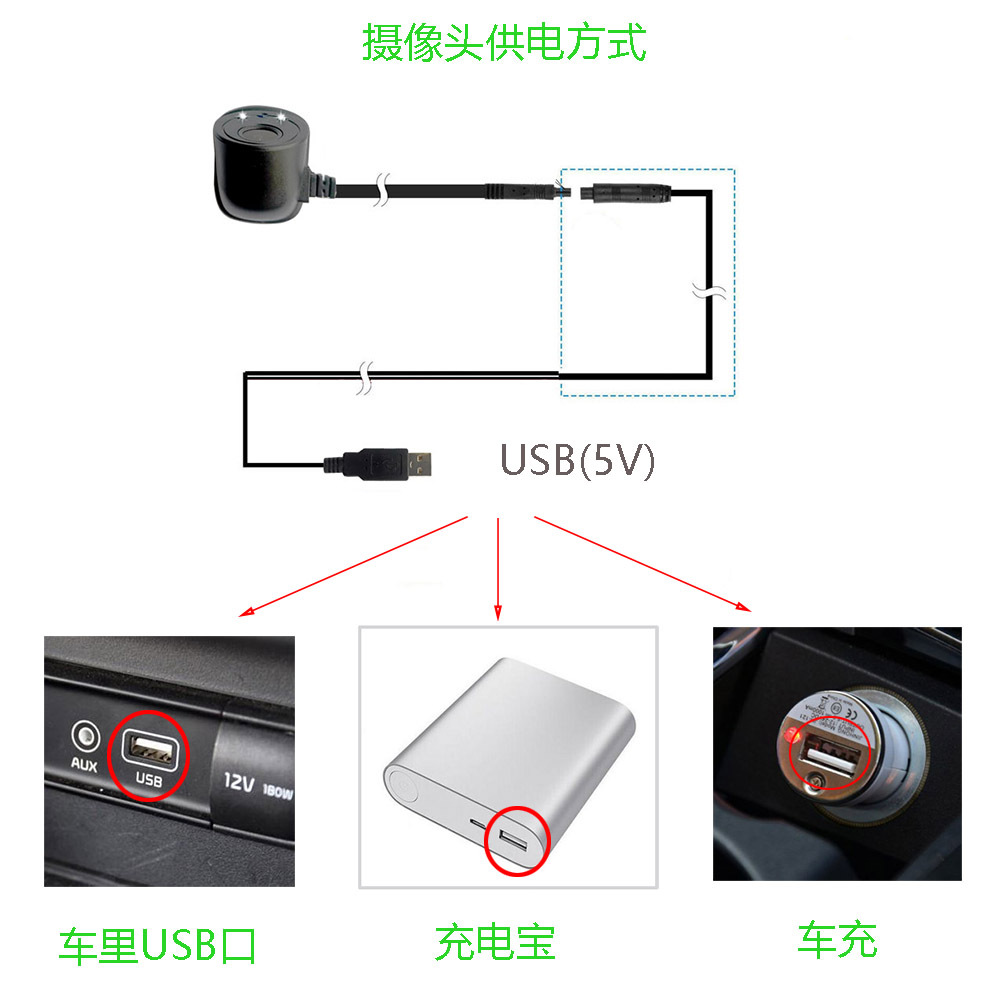
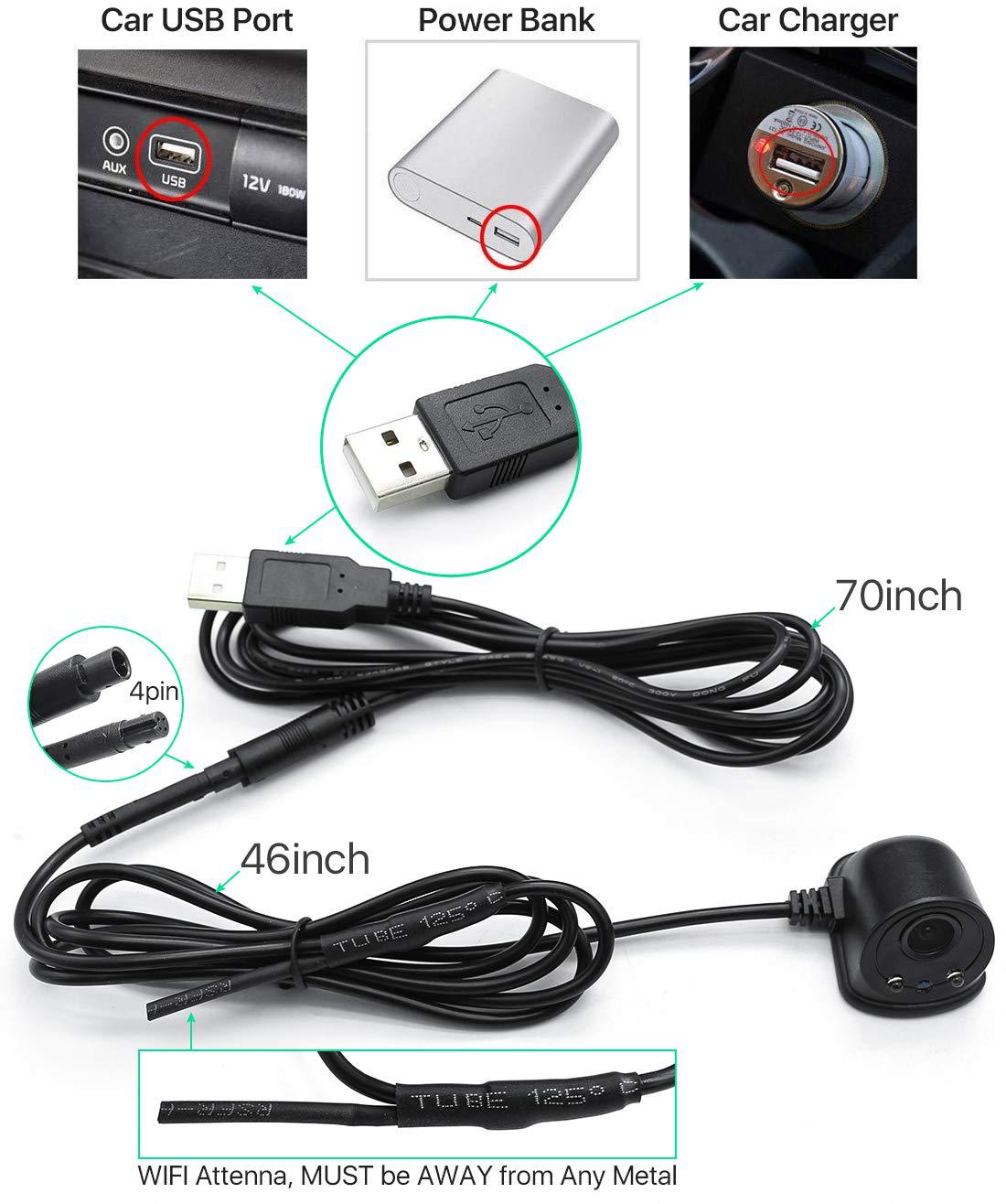
F-Car yes, intelligent vehicle-mounted products can be installed in blind areas of automobiles to achieve safe driving. Widely used in cars.5V power supply can be connected to the car cigarette lighter, USB port or direct Plug Power Bank power supply, easy to use and quick to install.
● simple installation method and low cost to realize intelligent video monitoring.
● The H.264 chip imported from the United States has clear and smooth images.
● use high-power WIFI module, strong signal and long transmission distance.
Two main function
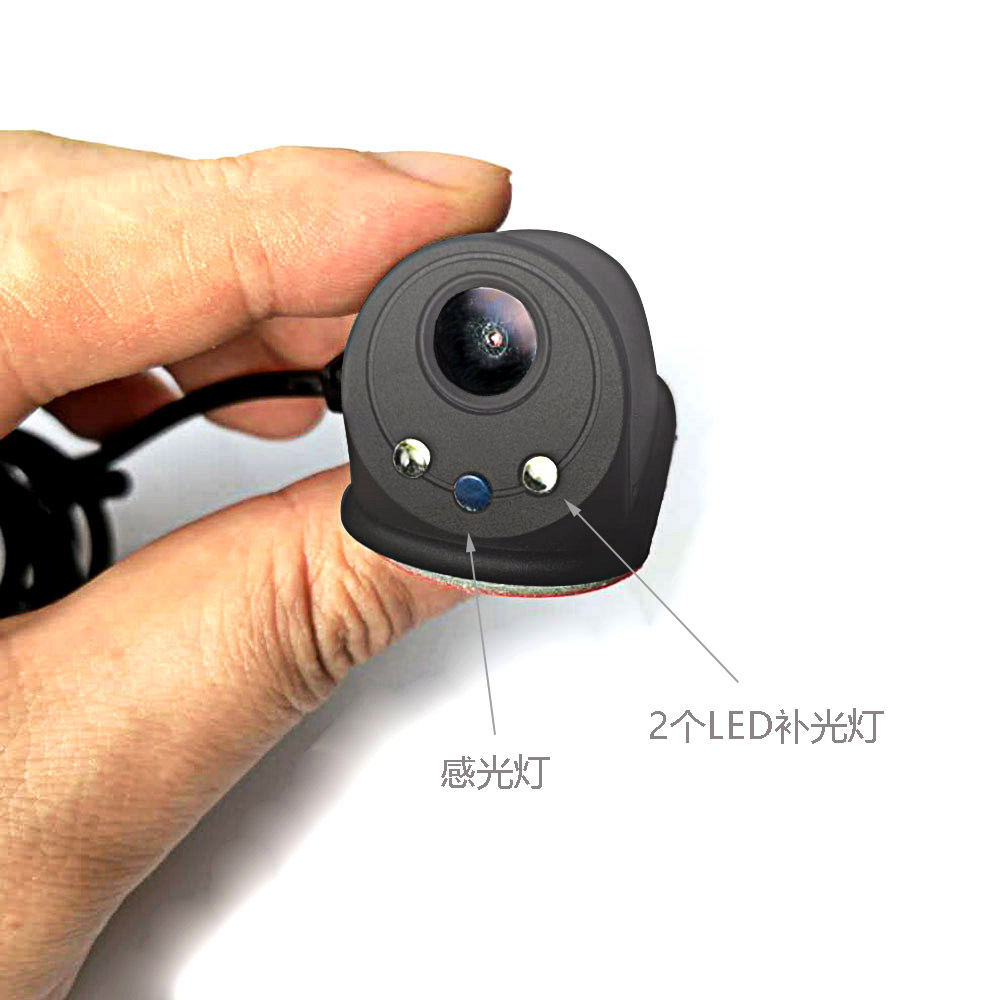
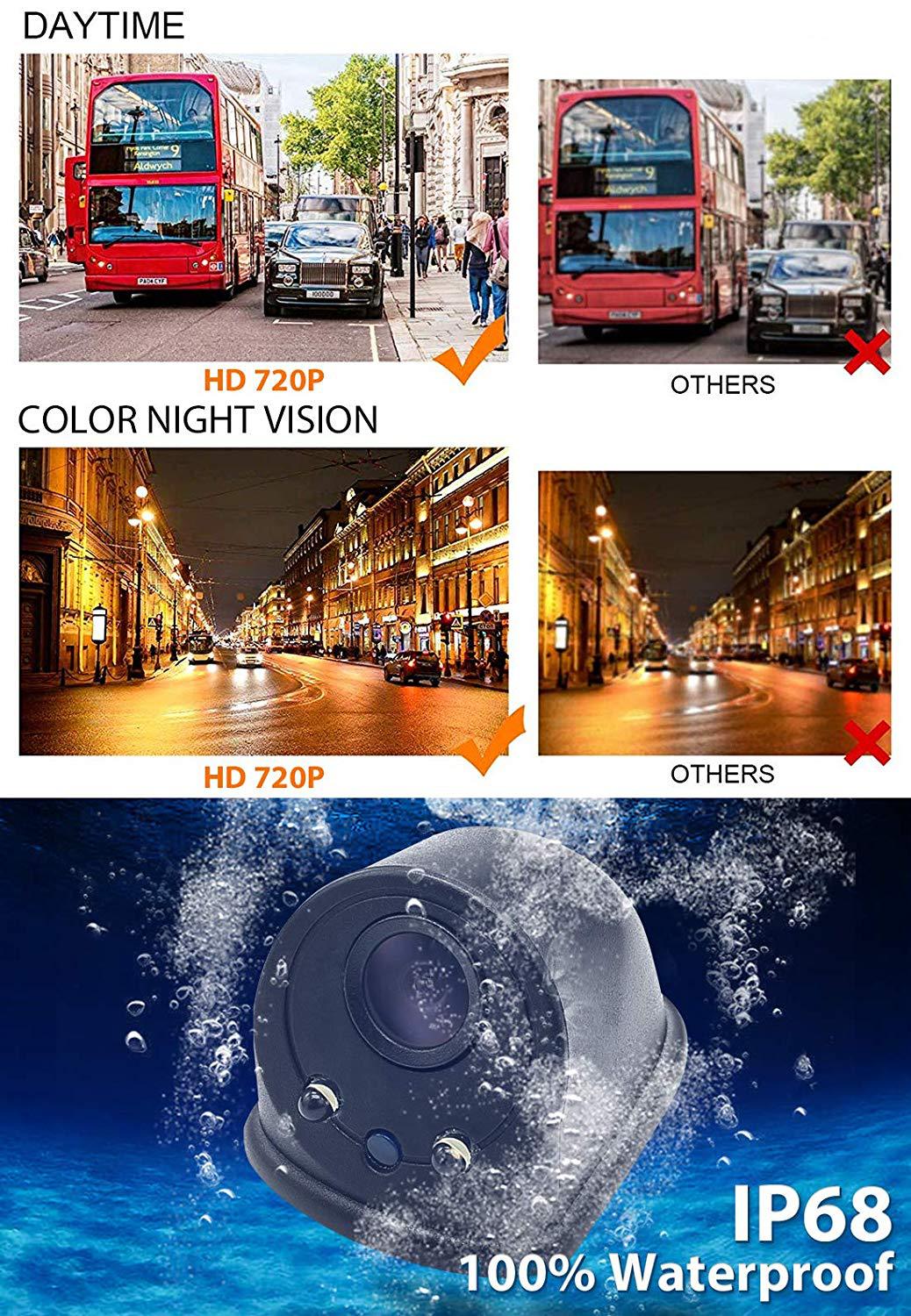
● The camera comes with 2 automatic fill lights, which can also obtain clear images when the light is not good.
● intelligent electronic monitoring function
after opening the APP through the device, you can view the real-time camera monitoring screen status and view it from a full perspective.
● intelligent APP software performance
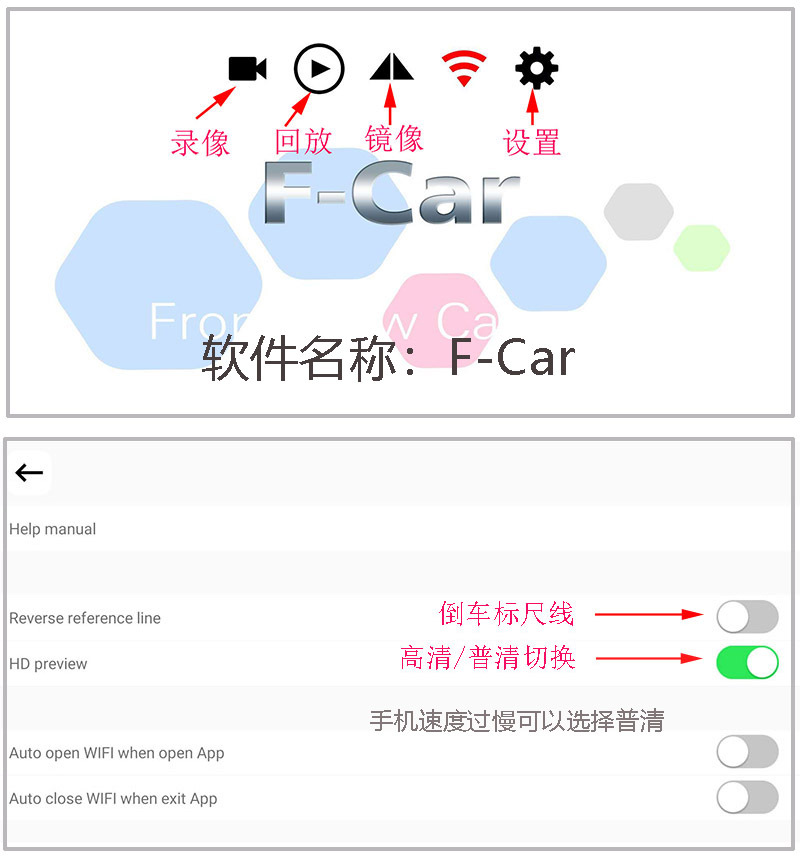
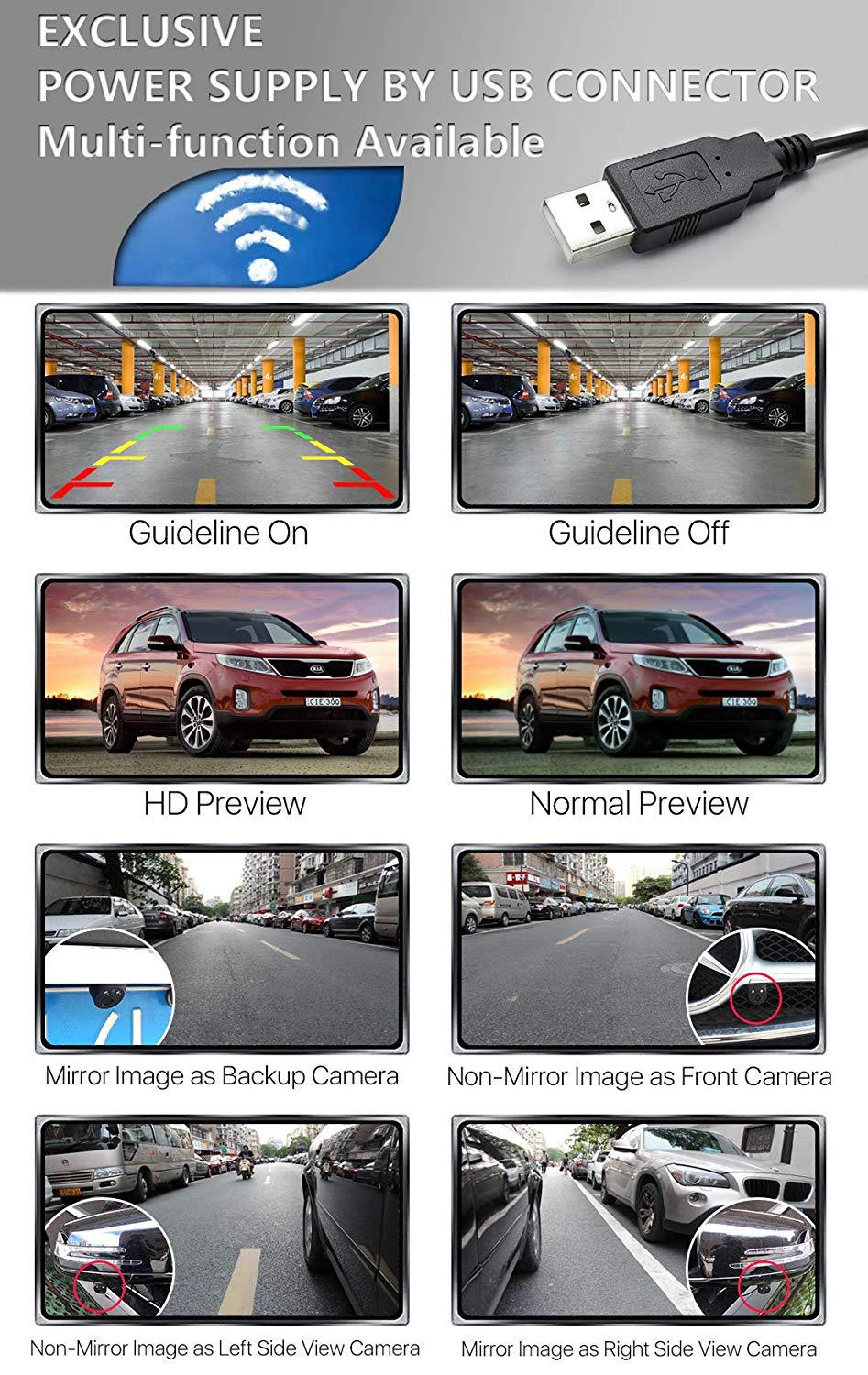
the software has multiple functions: video recording, playback, positive image/Image, WiFi, scale line, and HD General clear switching.
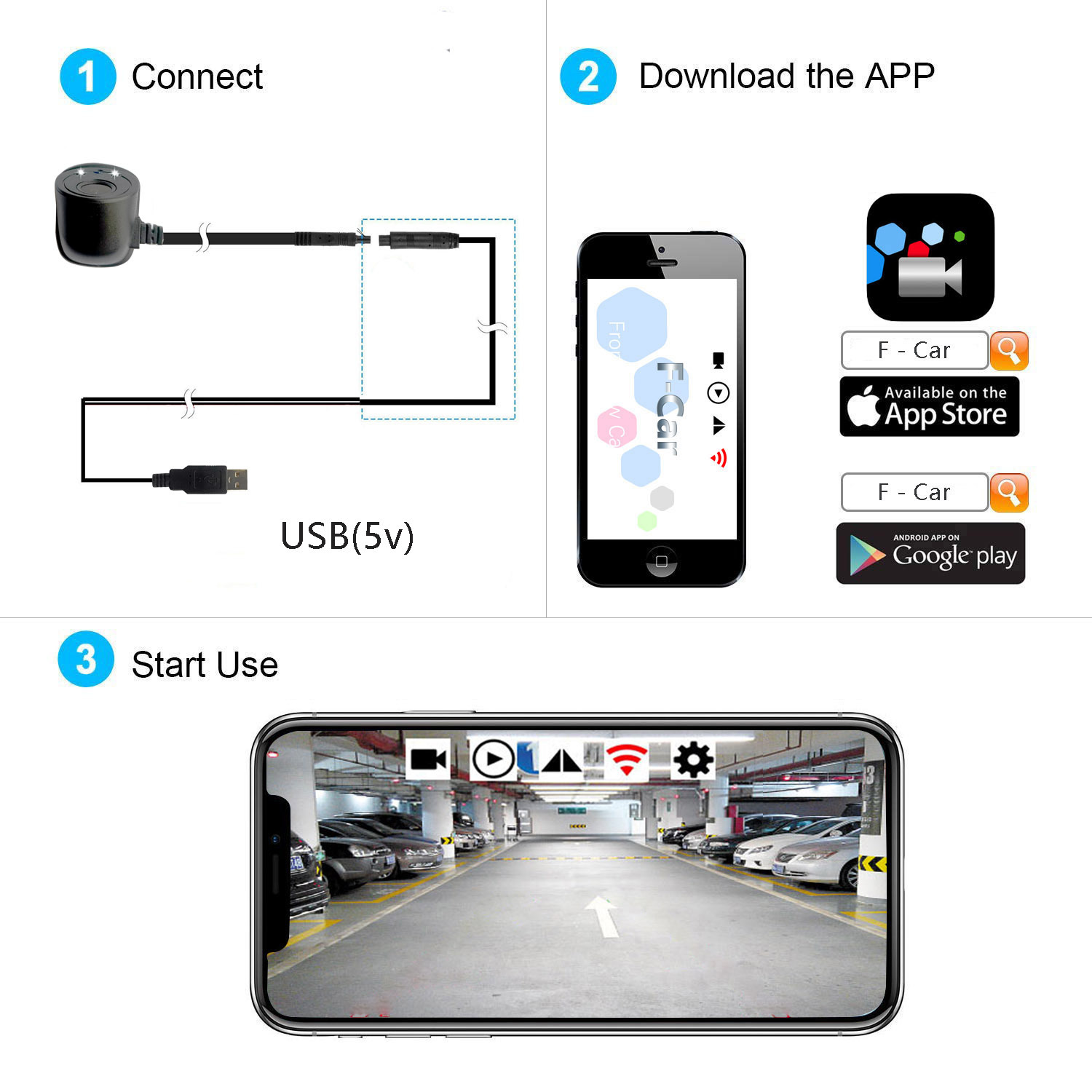
Three, download the app.
● scan and download the QR code; Open the scanning window and scan the QR code of the product manual.
Apple APP software download Android APK Download
● download from the website; Enter APP Srore search for Apple devices; Download F-Car
enter Google play search for Android devices; Download F-Car
the camera is powered on, mobile phone-settings-Wifi-search for the signal point connection at the beginning of Vcar, and open the APP.
Four, the use of skills
● interface (GUI) with icons;
video playback positive Image/mirror WiFi settings
android devices cannot be used at the same time as 4G, IOS devices can be used at the same time as 4G
● Use Android devices; After connecting to V-Car WIFI, when you need to use 4G network, click the exit button to automatically disconnect the software background from V-Car.
● How to use Apple's old devices; After the software is installed, set the static IP address; Connect to the V-Car name WIFI, 2 enter the WIFI setting interface, remember under DHCP (IP address. Subnet mask) these two lines of numbers, click "static" here, fill these two lines of numbers under the static button (IP address. Subnet mask). 3 click return to set it successfully. Set static IP address to realize simultaneous communication between WIFI and 4G without affecting the Internet access of mobile phones.
● New IOS system setting method; 1. Find V-Car name WiFi. 2. Remember in the IPV4 address bar; IP address, subnet mask, router, these three lines of numbers. 3. Click configure IP address, select manual, fill in the following three lines at the bottom, and click save.
V. Product installation (very important, please read carefully)
1. First, turn off the power supply of the vehicle-mounted power supply. If the power cord of the camera is not connected properly, power on is strictly prohibited.
2. Determine the installation position of the camera, put the power cord flat in the car. Adjust the viewing angle you want to watch, fix the camera USB end of the plug in the car USB supply port can be.
The power supply 3.5 to 5V
the current consumption 1.0W
video output WiFi output 802.11 B/g/n
minimum illumination 0.5 Lux
encryption Mode WPA2
the default Channel 6
image effect mirror horizontally vertical image
operating temperature-20 ~ +70°C
storage Temperature-30 ~ +80°C
operating humidity 15% ~ 85% RH
barrier-free transmission distance> = 20m
antenna specification omnidirectional
App Support iOS 7.0 or above Android 6.0 or above
image Coding H.264 High version
6. Troubleshooting common faults
1. There is no image
open the phone WIFI list, see if you can find the camera generated V-Car hot. If not, check whether the camera wiring is correct and whether the power supply port of the connected line is powered on.
2. Video Caton
a. The camera antenna needs to avoid blocking and metal contact, and the antenna should be suspended
B. The mobile phone runs slowly, and the solution 1. Turn off unused software in the background of the mobile phone. 2. Open F-Car software, click the Settings button, and select standard definition.
I. Product Introduction
F-car is the best intelligent camera product, can be installed in the Car blind area, to achieve safe driving. Widely used in cars, trucks, trailers and other special vehicles, can be connected to the car USB cigarette lighter or 5V mobile power supply, easy to use, fast installation.
●Simple installation, low cost to achieve intelligent vehicle monitoring.
●Hd video processor, image clear and smooth.
●High efficiency WIFI module, strong signal, long transmission distance.
2 Main Functions
●Smart phone watching video, real-time monitoring of vehicle blind area.
●Personalized operation mode, you can set the software operation mode according to the requirements.
●Driving record function, record wonderful moments.
●Video wonderful playback, a key to share circle of friends.
3 Download the application.
● Scanning and downloading qr codes; Open the scan window and scan the qr code of the product manual.
● Search for download
Apple devices enter the APP Srore search; F - Car download Android devices go into Google play search; F - Car download
4. Use skills
ndroid devices cannot be used with 4G, while IOS devices can be used with 4G
● Android device use; After connecting to the WIFI of V-Car SSID, the APP video will pop up automatically. When 4G network is needed, click exit, and the connection between V-Car and the software background will be automatically disconnected.
●IOS old system usage
1. After software installation, set static IP; Connect to V-Car name WIFI
2.enter the WIFI setting interface, remember the two lines of Numbers under "DHCP" (IP address. Subnet mask), click "static" here, and fill the two lines of Numbers under the static button (IP address. Subnet mask).
3. Click back to set successful. Static IP can be set to realize simultaneous communication between WIFI and 4G without affecting the phone's Internet access.
●New IOS system system usage;
1. Find V-Car name WiFi.
2. Remember in the IPV4 address bar; IP Address, Subnet Mask, Router, these three lines of Numbers.
3. Click "Configure IP", select "Manual", fill in the following three rows of Numbers in the bottom, click save.
5. Product installation (very important, please read carefully)
1. This camera is powered by 5V, and it is strictly prohibited to power on if the camera power cord is not connected properly.
2. Confirm the installation position of the camera and put the power line in the car smoothly. Adjust the viewing Angle. Please clean the position to be pasted, fix the camera and plug the usb power port into the car.
6. Troubleshooting
1 There is no image
Open your phone's WIFI list to see if you can find the v-car hotspots generated by the camera. If not, please check whether the camera wiring is correct and whether the power supply port of the connected line has been energized. With android 9.0, you need to click "use this network" to connect to WiFi for the first Time
2 Video is not fluid
A. The camera antenna needs to avoid shielding and metal contact, the antenna is best suspended
B. Turn off unused software in the background of the phone. Please keep the phone with enough running memory.
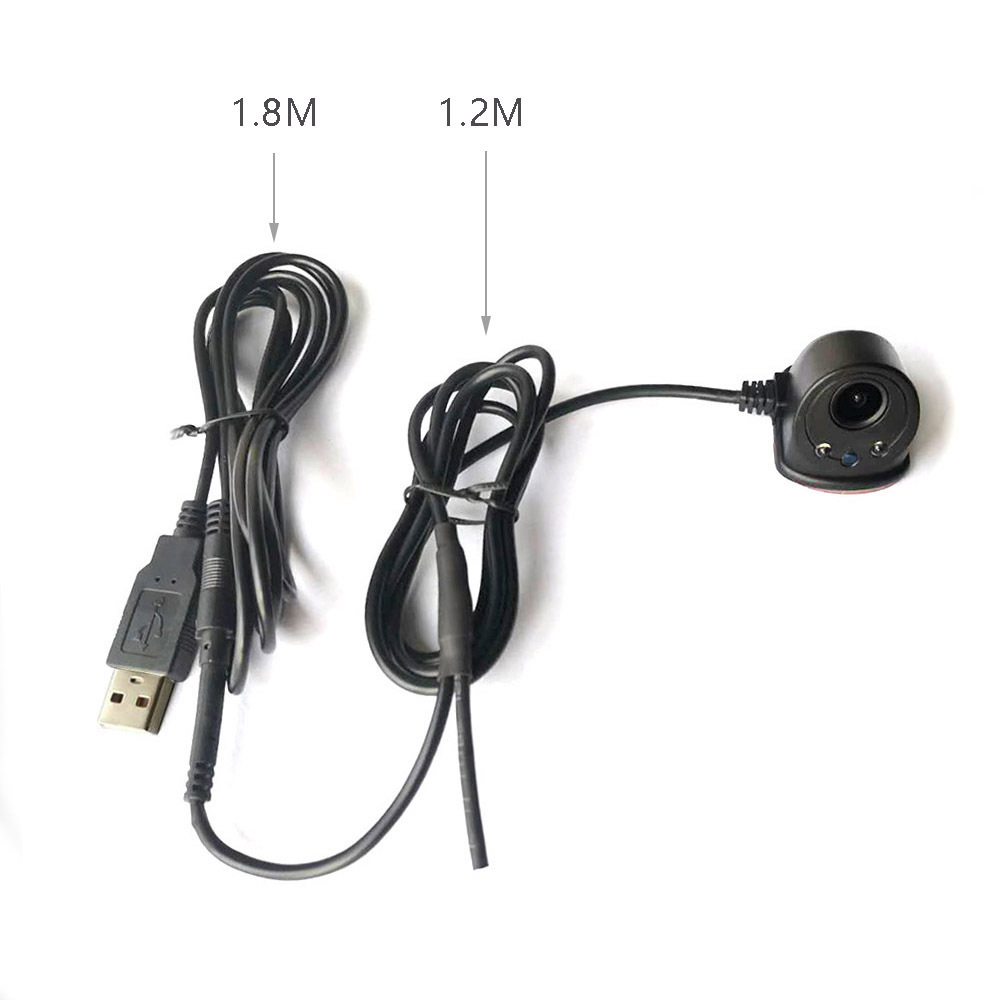
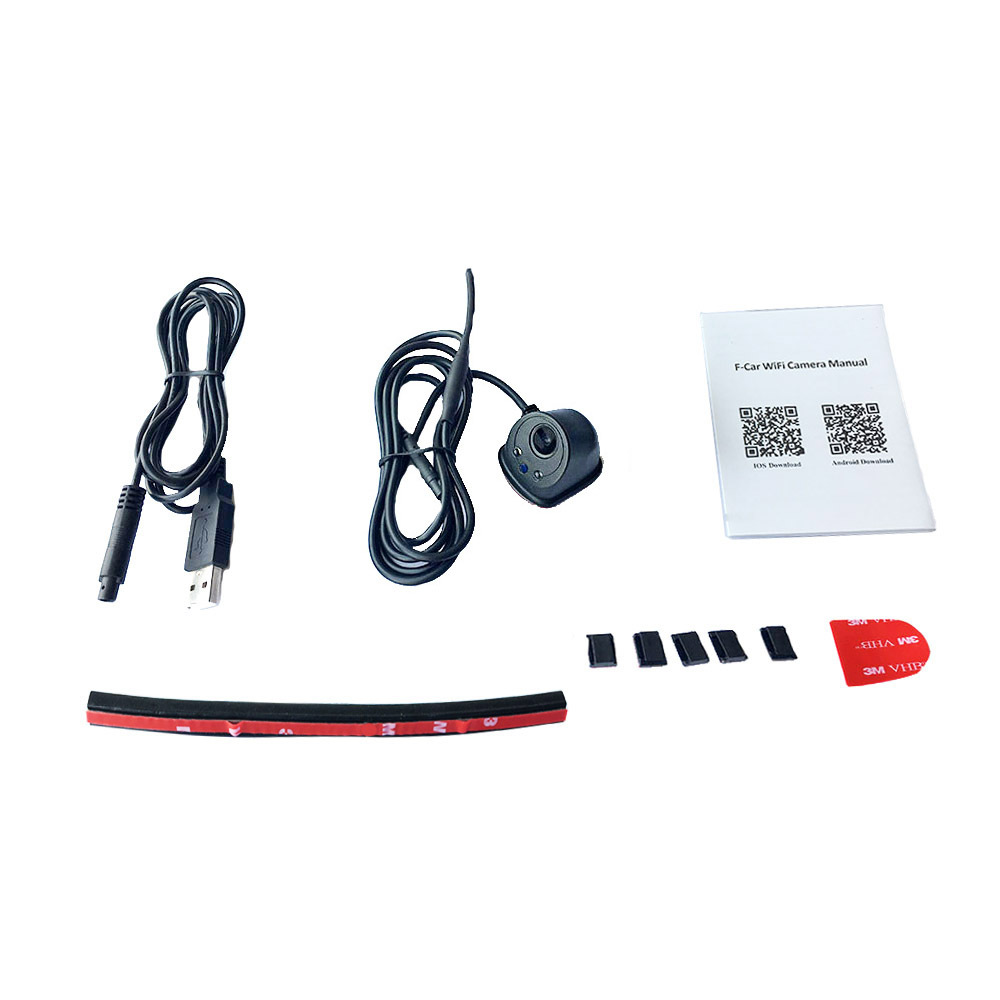
Product list:
Instruction
camera
USB extension cord
3M
thread buckle